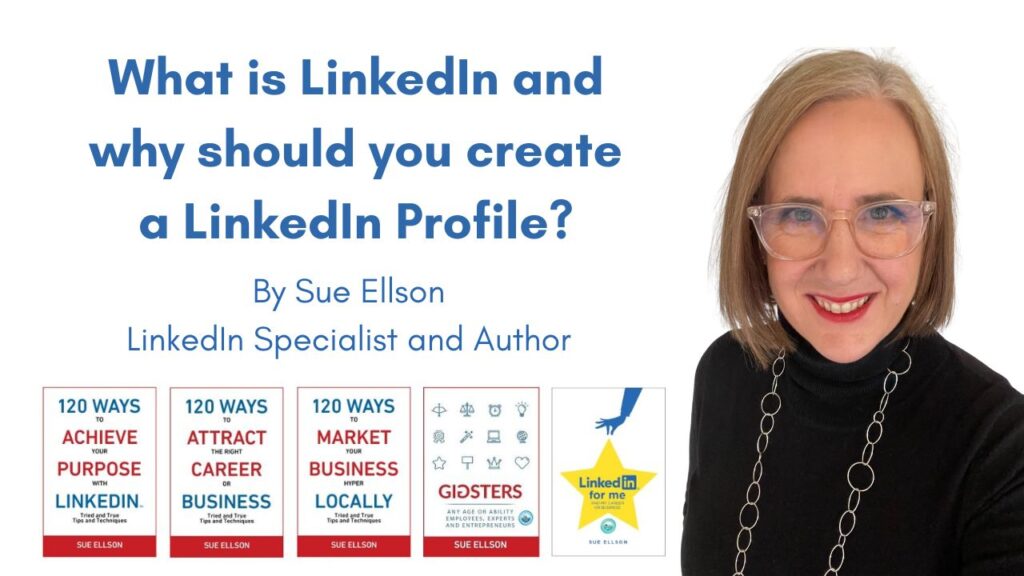
What is LinkedIn and why should you create a good LinkedIn Profile?
Although I joined LinkedIn on the 21st of December 2003 and am one of the first 80,000 people on the platform (member number 77,832), I am still surprised to hear people ask me ‘What is LinkedIn?’ and ‘Why should you create a good LinkedIn Profile?’
I can certainly point you towards you some good explanations of what LinkedIn is. Firstly, you can visit LinkedIn’s description or Wikipedia’s description.
You can also find out the latest information about LinkedIn at https://news.linkedin.com/ and if you want the numbers behind the scene, check out the Investor Information at https://www.microsoft.com/en-us/investor/default (LinkedIn is owned by Microsoft).
If you are more of a ‘video’ person, then watch this video to understand ‘What is LinkedIn?‘ and I also like this video on the LinkedIn Experiment.
LinkedIn’s mission is to:
Connect the world’s professionals to make them more productive and successful
How would you describe LinkedIn?
LinkedIn has been given various descriptions:
- Facebook for business (it isn’t)
- A resume on steroids (it isn’t exclusively this)
- Social networking site (it still needs your input)
- Social media referral source (yes, but only if you use it well)
- Dating site for business (well it does connect business opportunities but it is not allowed to be used for dating)
- Place where employees are poached (perhaps it is time to offer a better employment experience?)
- A nuisance because I get too many emails (then you need to adjust your Notifications https://www.linkedin.com/mypreferences/d/categories/notifications or Unsubscribe from the emails you receive or set up a rule on your email Inbox to have all emails sent from @linkedin.com to go to a specific folder and then check the folder at certain times – more instructions at https://sueellson.com/blog/how-do-you-stop-receiving-so-many-linkedin-emails)
- A time waster because I don’t need any work (you may not need it now, but a job is never 100% secure, a network can provide security – both during your career and after you retire and your net-work = your net-worth)
- Expensive (but does it offer value aligned with your purpose? If so, that is worth paying for otherwise just stay with the free account!)
- A source of spam (that is not LinkedIn’s fault, it is the users of LinkedIn who try and spam people and the LinkedIn Trainers who teach people to send script emails or automated sales messages – you can report spam and LinkedIn does investigate and delete these profiles. LinkedIn also has many algorithms to detect bad behaviour and to prevent bad behaviour, but just like computer hackers, these spammers persist!).
What are you really asking me when you say ‘What is LinkedIn?’
Although many people now assume that they know how to ‘fill out boxes on a screen,’ not everyone knows how to fill in boxes for a purpose – or how to write or publish written or visual content for their purpose.
Let me put it this way. If I ask you ‘What is a computer?’ how would you describe it? Would you explain all of the component parts – screen, hard drive, keyboard etc or would you explain it as ‘a tool for work / accessing the internet / playing games / that wretched thing I want to throw out the window because it annoys me so much etc?’
I am always fascinated by the number of highly educated professionals who think that they ‘know LinkedIn’ and they have a LinkedIn Profile but it doesn’t help them achieve their purpose. What is even worse is that they will not accept any advice or training!
Or worse still, they don’t make any changes but expect a different result or they pay for LinkedIn Premium and assume this will solve the problem.
Put simply, if you are a residential architect and you don’t include the words ‘house design and drafting,’ how could you be found on LinkedIn if someone put ‘house design and drafting’ in a search query?
LinkedIn is not a mind reader! Start by effectively completing your LinkedIn Profile and then consider LinkedIn Premium and really maximise your opportunities.
If you start complaining that LinkedIn does or does not do something, have you investigated how you could solve the issue?
Do you expect a business enterprise to give you everything for free?
Have you checked your settings to avoid unnecessary distractions?
Have you recognised the full potential of the platform to aid you with your purpose?
Have you realised that no technology solution will ever be perfect – but there are often many benefits if you understand the technology? (just think of how many unused functions there are on your mobile phone to get a grasp of this concept).
Just let me remind you at this point that I am not paid by LinkedIn to write this article (I am an Independent LinkedIn Specialist). However, I can say that I have helped hundreds of people achieve their purpose with LinkedIn so I can see plenty of benefits – and plenty of uses!
If you are clear about what you want to achieve, you can use LinkedIn for your purpose. So if I am asked the question ‘What is LinkedIn?’ I will normally give you one of many answers, depending on what you want to achieve.
What can you achieve with LinkedIn?
I encourage everyone to make their own choices about what they would like to achieve with LinkedIn – but here are some ideas for you to consider:
- You can create a cloud based personal database so that you can keep in contact with friends, fellow students, work colleagues, managers, advisers, stakeholders etc even if their email address changes, their phone number changes, their job role changes or they move countries
- You can increase the size of your digital footprint or online brand for either your own name or your business or enterprise name (LinkedIn profiles can be found in online search and artificial intelligence AI bot results)
- You can reserve online real estate so that no-one else with the same name can have the same URL ie https://www.linkedin.com/in/sueellson This will also mean that you are more likely to come up in online search results for your name
- You can massage your message in your own online profile and counteract negative information from other websites
- You can build your personal reputation by showcasing your projects, achievements or work experience (paid or voluntary)
- You can ‘prove’ your capability via Skill Endorsements and Written Recommendations
- You can increase the number of backlinks to your other online content (on a highly ranked website)
- You can document your personal history (great for speaker biographies)
- You can change your message to either increase, redirect or decrease the contact you receive (particularly suitable for the retired or semi-retired)
- You can build a network of connections that can support you with referrals, information, recommendations or even direct opportunities (only say yes to the people who are aligned with your purpose)
- You can be found via Google Search (remembering that all recruiters and decision makers will search for you online before hiring you)
- You can publish content in long form posts (like this article) and these articles rank very well in online search results
- You can complement your offline networking with an online tool and have ‘one source of truth’ for all of your connections (not scattered business cards and various databases or customer relationship management systems that may remain in-house and are not portable with changing roles)
- You can use various apps and special features to your advantage
- You can showcase your professional memberships, licenses and certifications
- You can do local and international research
- You can support your employer (through employee advocacy – reacting to and commenting on their content)
- You can connect with current and past colleagues that you work with as well as in your industry or profession
- You can maintain your existing relationships by publishing content semi-regularly so that people are reminded that you are still around – it keeps you ‘in circulation’
- You can build your personal brand and reputation
What specific LinkedIn features could be helpful?
Some of the most well-known LinkedIn features include:
- LinkedIn Personal Profile – where you can showcase your career, skills, certifications, education, publications and more https://www.linkedin.com/in/
- LinkedIn Company Page – where you can showcase your company details or find information on companies you are interested in https://www.linkedin.com/search/results/companies/
- LinkedIn Jobs – where you can apply for jobs or publish job advertisements https://www.linkedin.com/jobs/
- LinkedIn Groups – where you can join like-minded individuals around topics of mutual interest https://www.linkedin.com/search/results/groups/
- LinkedIn Newsfeed – where you can see what your connections are doing, advertisements, news from various sources and more https://www.linkedin.com/feed/
Additional services
These have been acquired by LinkedIn and include:
Pulse – this was where the Newsfeed came from
Lynda – this was where the LinkedIn Learning feature came from
Connectifier – this was where enhanced candidate profiling in LinkedIn Recruiter came from
Additional resources – these can help you with LinkedIn and include:
https://www.linkedin.com/blog – LinkedIn’s official blog
https://www.linkedin.com/help/linkedin – LinkedIn’s help centre
https://www.linkedin.com/mypreferences – for your personal settings
https://www.linkedin.com/analytics/profile-views – who has reviewed your profile
https://www.linkedin.com/legal/user-agreement – User Agreement (essential reading, especially section 8 – Do’s and Don’ts)
https://www.linkedin.com/legal/professional-community-policies – Professional Community Policies (a great reminder)
Why should you create a good LinkedIn Profile?
So what is the point of creating a good LinkedIn Profile?
You may think that having a good website in your own name is all that you need. I have one at https://sueellson.com. I also registered the domain names and paid for website hosting for my children (and joke that they will have to pay me a lot of money if they want ownership!). But this website does not build my network.
I also have a personal Facebook Page, Instagram Profile, Pinterest Profile, Reddit Profile, Substack Profile, Twitter / X Profile and several more…however, I get the most value from my LinkedIn Profile!
You may be hesitant because you do not want to share your story online. The irony is that nowadays, if people search for you online and don’t find anything, they become suspicious – at least with LinkedIn, you can write your own story (however, I do not recommend publishing any false information).
You can also choose which parts of your story to publish. You do not need to be boastful, just accurate. Dot points make it much easier to read, especially on a mobile device, so don’t worry about crafting long sentences.
If you are out and about in the business world, a good quality LinkedIn Profile can help people who are referred to you do their own due diligence and decide whether or not they would like to do business with you.
You can adjust your network visibility settings so that only ‘you’ can see your Connections (shared Connections will still be visible) https://www.linkedin.com/mypreferences/d/settings/connections-visibility – this is a particularly useful setting for people who are in sales or have a very high profile position.
You may feel uncomfortable about putting your photo online – one of my clients has a photo with sunglasses on! I can assure you that it is still better to have a photo than no photo, especially if you are looking for work.
Let’s wrap up
LinkedIn may not be a perfect technology or social media solution, but out of all of the online platforms I have used, it has provided the most direct benefit to me and my clients. That said, I would never put all of my eggs in any one basket – but if you are making your first ‘egg choice,’ I highly recommend that you create a LinkedIn Profile – or improve the one you have!
Keywords
#LinkedIn #LinkedInProfile #LinkedInPremium
First Published: 4 March 2016 https://www.linkedin.com/pulse/what-linkedin-why-should-you-create-good-profile-sue-ellson
Last Update: 3 October 2026
—
If you believe this article is helpful, please:
- Like it on LinkedIn right now – and add a personal comment or question
- Share it as an update on LinkedIn
- Add the link in your next post on social media
- Provide a link in your next email newsletter
- Ask me for more information about LinkedIn related to your Purpose
- Bookmark this page so you can come back to it later!
Connect with me at https://www.linkedin.com/in/sueellson
Learn more about me at https://sueellson.com
Ask me a question via sueellson @ sueellson.com
Call or message me direct via +61 402 243 271
Additional Resources
Benefits of LinkedIn – general information
https://sueellson.quora.com/The-Benefits-of-LinkedIn
Business Case for LinkedIn – to convince others
https://www.linkedin.com/pulse/business-case-linkedin-sue-ellson
Why should you create your own LinkedIn Profile?
https://sueellson.com/blog/why-should-you-create-your-own-linkedin-profile
Do you have two or more LinkedIn Profiles?
https://sueellson.com/blog/do-you-have-two-or-more-linkedin-profiles
See my other Articles on LinkedIn at
https://www.linkedin.com/in/sueellson/recent-activity/articles
See my other personal presentations at
https://sueellson.com/presentations
See my other written articles at
https://sueellson.com/publications
See my books online at
AI was NOT used to create this content.
Shared online Archive.org, LinkedIn Articles, Publications 2026, Facebook, Google, LinkedIn Article, LinkedIn Page, LinkedIn Profile, Reddit, Substack, Twitter / X